


.png)
For the past two years, interacting with Large Language Models (LLMs) has been defined by text. The standard workflow involves inputting a prompt and receiving a streamed text response. While this conversational interface is powerful, it hits a ceiling when complex data needs to be visualized or multi-step workflows are required. Text is great for explanation, but it isn't always the best medium for action.
OpenAI is shifting this paradigm with the introduction of Apps in ChatGPT. With the new Apps SDK released in early October, developers can now embed interactive UI widgets directly into the chat interface. This transforms ChatGPT from a pure conversationalist into a collaborative workspace where users can browse visual content, click through lists, and interact with graphical tools without ever breaking the flow of conversation.
At intive, we enable our clients to bring their app experience to ChatGPT. Here is how we created a fluid experience for users to find information and immediately act on it, all within a single intuitive chat conversation.
The Setup: Culinary Compass and Grab List
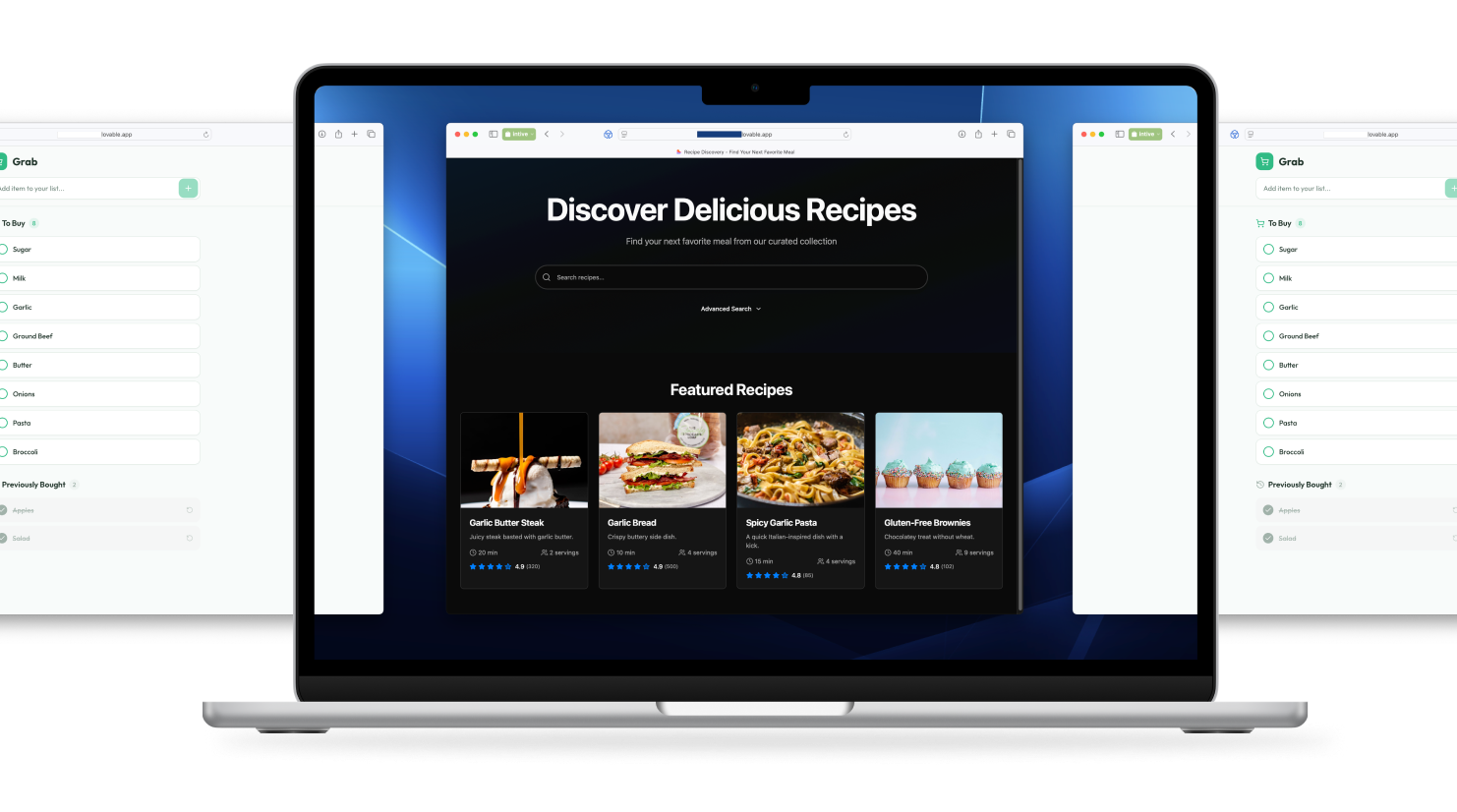
To demonstrate this capability, we developed two distinct web applications that serve as a practical example: a recipe browser called Culinary Compass, and a shopping companion called Grab List. We have built these as fully functional, standalone websites to simulate a real-world ecosystem where a brand might have existing web properties.
Connecting Discovery with Action
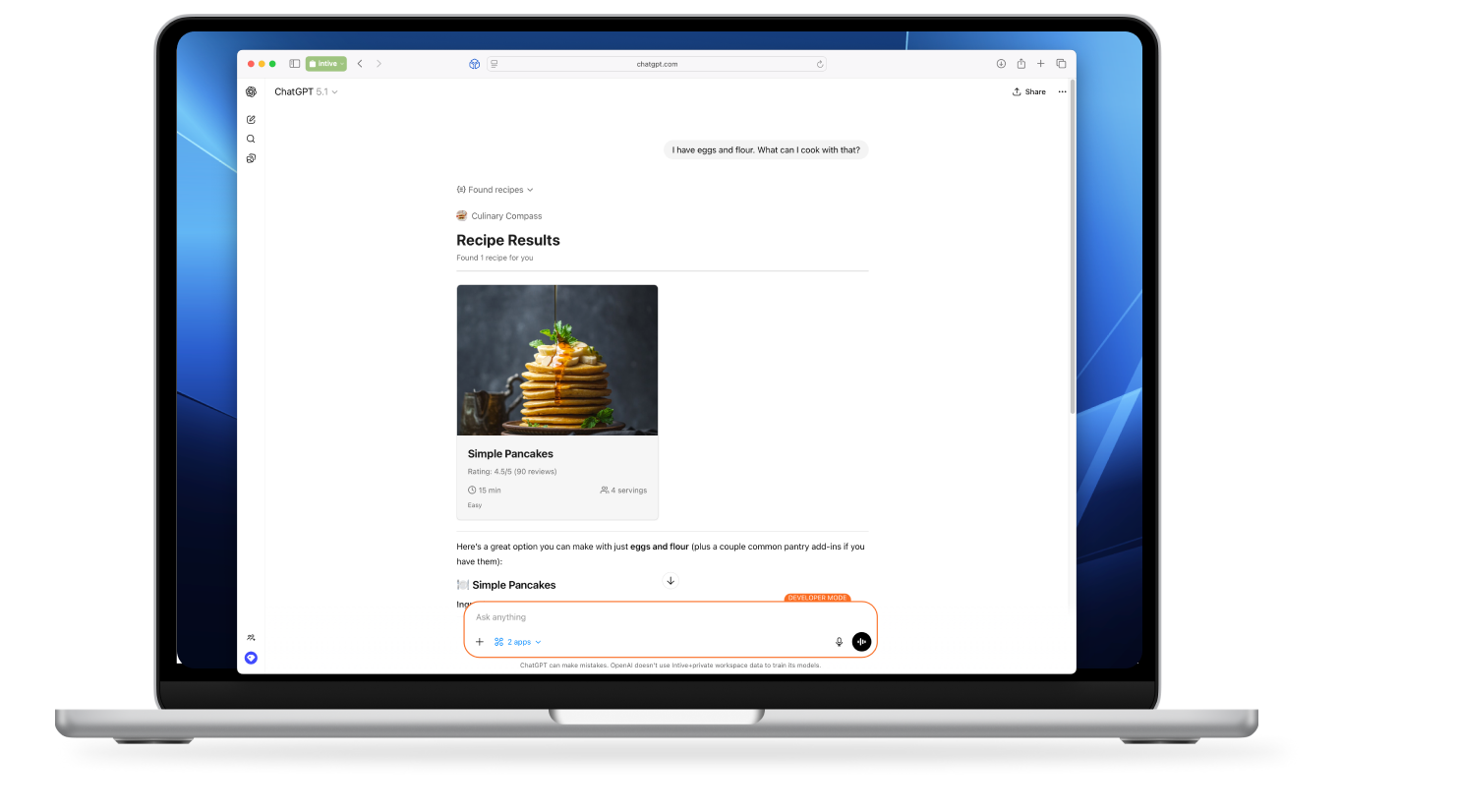
The resulting workflow demonstrates how natural language can act as the glue between two separate applications. Imagine a user starts a session by telling ChatGPT, "What can I cook with eggs and flour?". In a traditional setup, the AI would return a text list of suggestions. In our implementation, ChatGPT leverages the Apps SDK to present the Culinary Compass interface, a visual grid of recipe cards that the user can browse interactively.
Example workflow:
- The user prompts: "I have eggs and flour. What can I cook with that?"
- ChatGPT responds: "Here's a great option you can make with just eggs and flour..." and displays a widget for "Simple Pancakes" or "Pasta dough (eggs + flour only)" or "Eggy Yorkshire-style batter (eggs + flour + water/milk)."
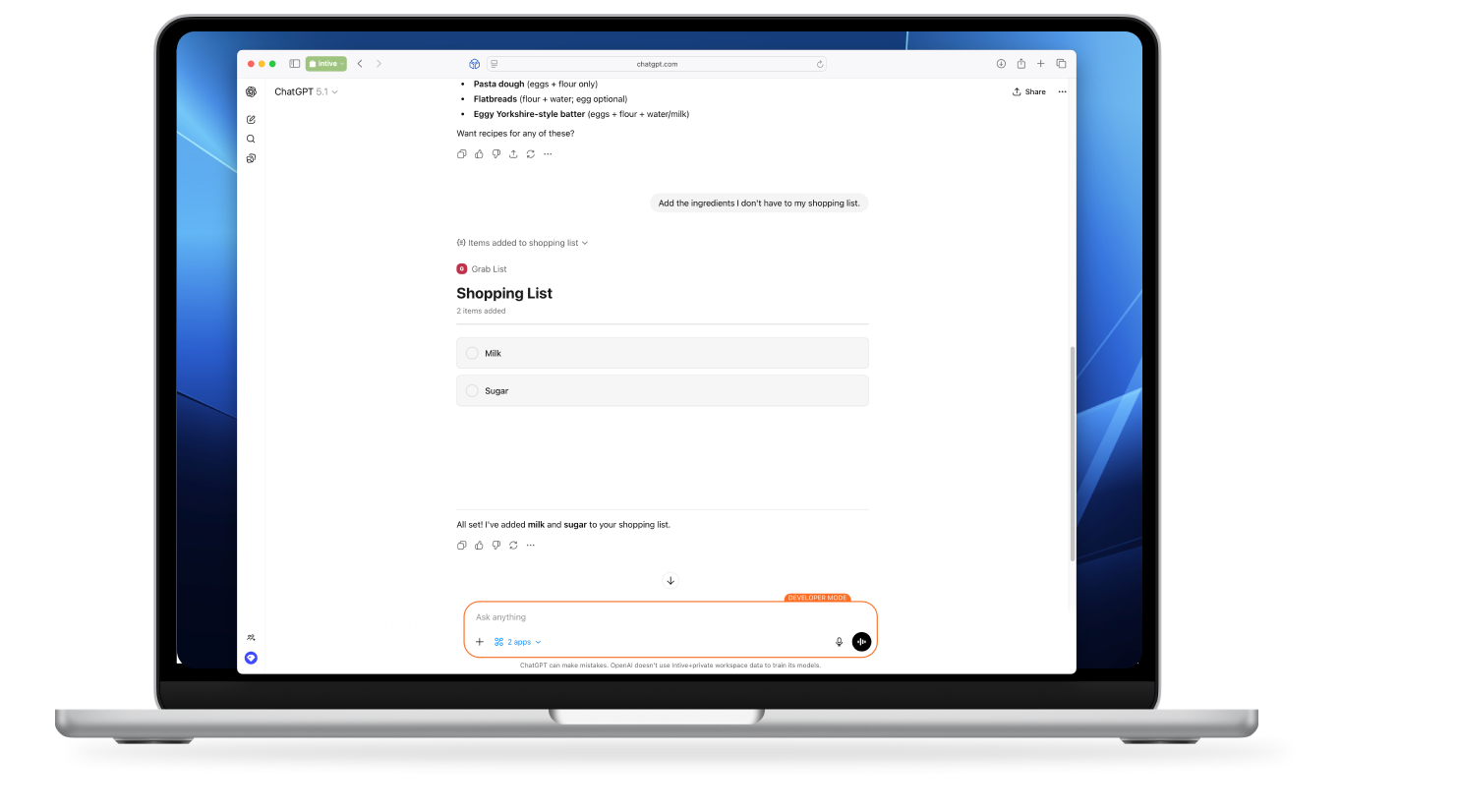
- The synergy continues when the user spots a recipe they like. Seeing the "Simple Pancakes" card in the grid, the user types: "Add the ingredients I don't have to my shopping list."
- ChatGPT interprets the request, extracts the necessary ingredients (milk & sugar) from the recipe context, and triggers the Grab List application.
- A new widget appears in the chat, showing the shopping list visually updated with the new items. The interface confirms: "All set! I've added milk and sugar to your shopping list." The user has moved from inspiration to organization without leaving the chat window.
Crucially, these widgets also serve as a gateway back to our core product. We designed the recipe cards so that clicking or tapping on them opens the full recipe details on the Culinary Compass website. On mobile devices, this allows us to leverage Universal Links (iOS) or App Links (Android). This creates a powerful loop: the user starts in ChatGPT for broad discovery, but is seamlessly deep-linked back into our native app ecosystem when they are ready for the detailed cooking experience.
Under the Hood: The Model Context Protocol (MCP)
To make this magic happen, the Apps SDK relies on the Model Context Protocol (MCP). This is the standard that bridges the gap between the LLM and our external applications.
We implemented two lightweight MCP servers, one for each app. These servers act as the translation layer. They define:
- Tools: Represent the capabilities of our apps (like search_recipes or add_shopping_item).
- Resources: Represent the UI widgets.
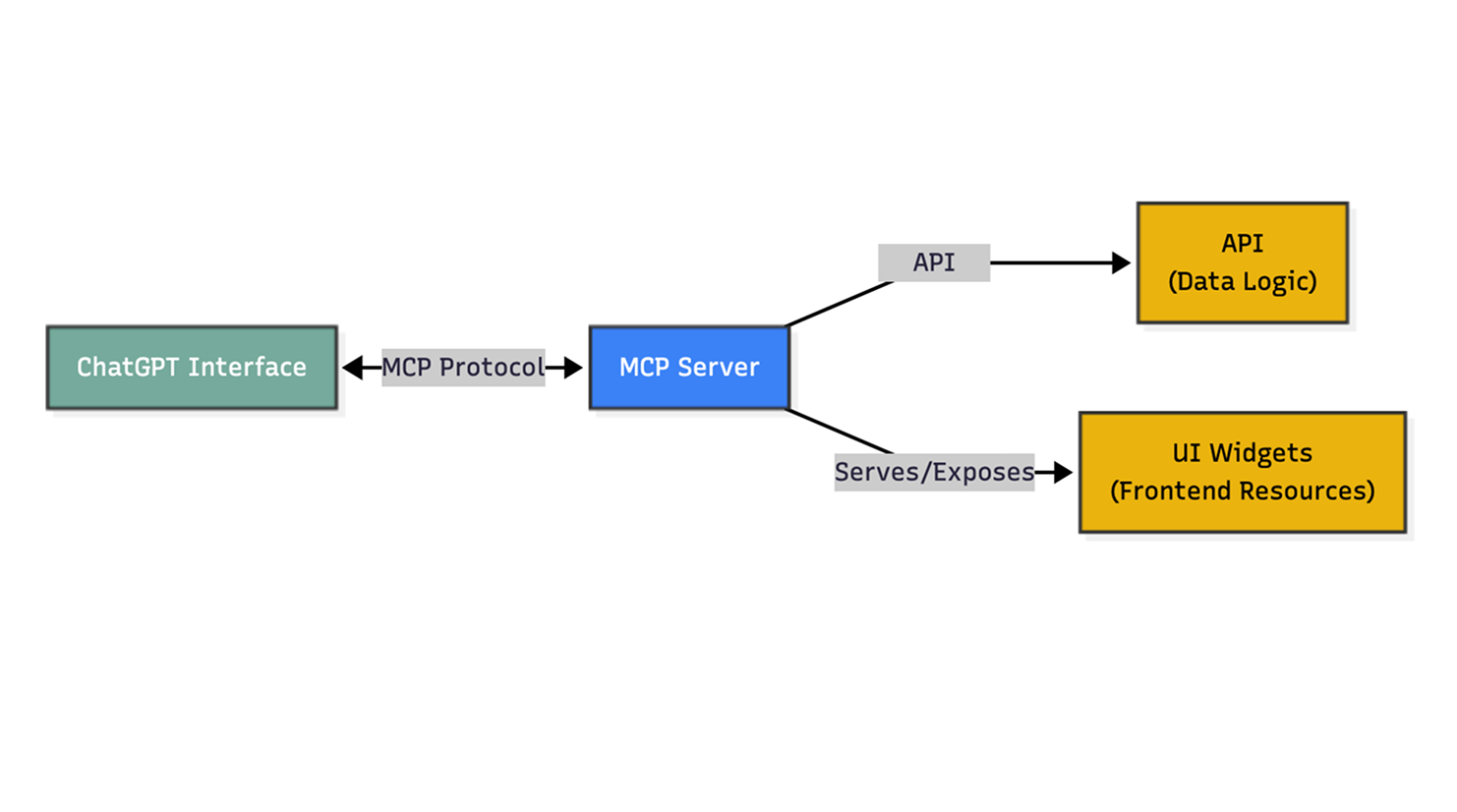
When ChatGPT decides to call a tool, the MCP server executes the request by calling our exposed API endpoints. Crucially, the tool call does more than just retrieve data. Instead, it exposes metadata that hints to ChatGPT which specific UI resources to load. This signal triggers the chat interface to render the HTML/JS widgets we hosted directly on the MCP server, creating a seamless blend of backend logic and frontend visualization.
A New Model for Software Distribution
For businesses, this represents a major shift in how software can be delivered. Instead of asking users to open an app or website, companies can bring essential tools directly into the chat window where decisions are already happening.
- A retailer could let customers browse products inside ChatGPT.
- A travel brand could help users explore destinations and draft an itinerary.
- A bank might offer simple budgeting visuals when someone asks about saving money.
In each case, the company provides only the key parts of its experience, while ChatGPT handles the conversation and intelligence.
This also reduces operational overhead. Companies do not need to maintain heavy conversational infrastructure, and teams can test or launch new features quickly without full app releases.
This shift is not limited to OpenAI. We are seeing similar patterns emerge across the development landscape, such as Flutter's GenUI, where the goal is similar: to bridge the gap between LLMs and native interfaces by dynamically rendering UI based on the user's intent. Chatting with AI is evolving into working with AI, giving businesses a new and highly accessible channel to reach users at the moment they need help or inspiration.
Accelerate Your AI Journey
The described case study is just one example of how intive is pioneering AI-native engineering. Through our AI Native Transformation program, intive helps enterprises evolve from manual processes to autonomous workflows, integrating AI copilots and agents directly into the delivery lifecycle.
We aim for engineering teams not just to use AI, but be empowered by it to deliver faster, higher-quality software with less rework. You can learn more about our approach here: AI Native Transformation.
.png)

.png)


.png)
.png)
.png)
.png)